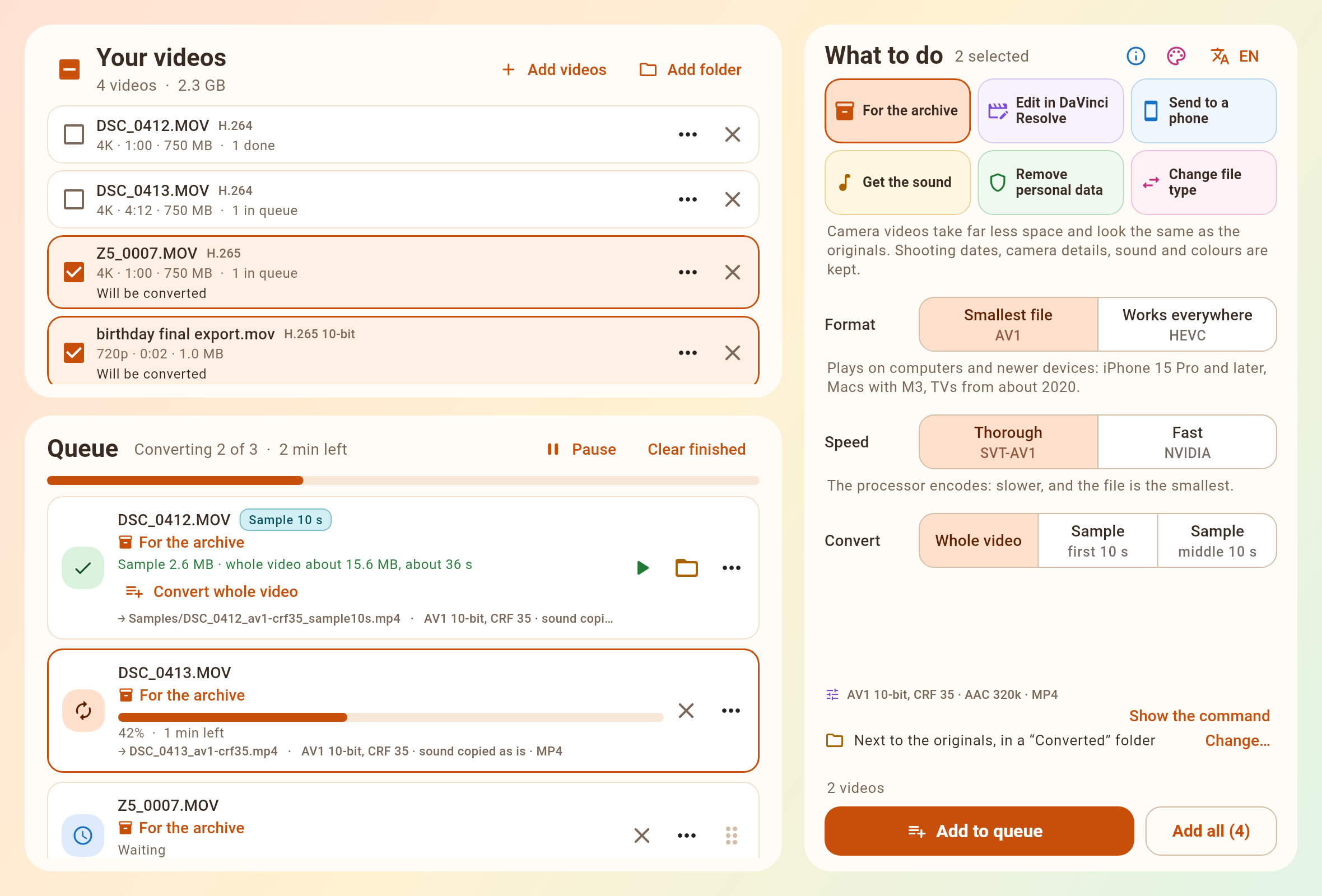
VidCtrl turns camera videos into master copies at a fraction of the size, measured to look the same as the original. It also gets videos ready for DaVinci Resolve, for phones and for sharing: no codecs to learn, and FFmpeg is inside.
From the maker of CamCtrl, a remote control for Blackmagic cameras
A master copy takes the place of the original, so it has to look the same. It is also there to save space, so it should be no bigger than that needs. Getting both right was one of the main aims of VidCtrl.
42 dB is the level reported as visually lossless: no difference the eye can see. Every encoder reaches it on the hardest footage, at 42.0 to 42.1 dB; calmer footage scores higher.
xpsnr filter. It compares the copy with the original and weighs each difference by how visible it is.The measuring tool is in the repository, so other cameras and graphics cards can be checked the same way.
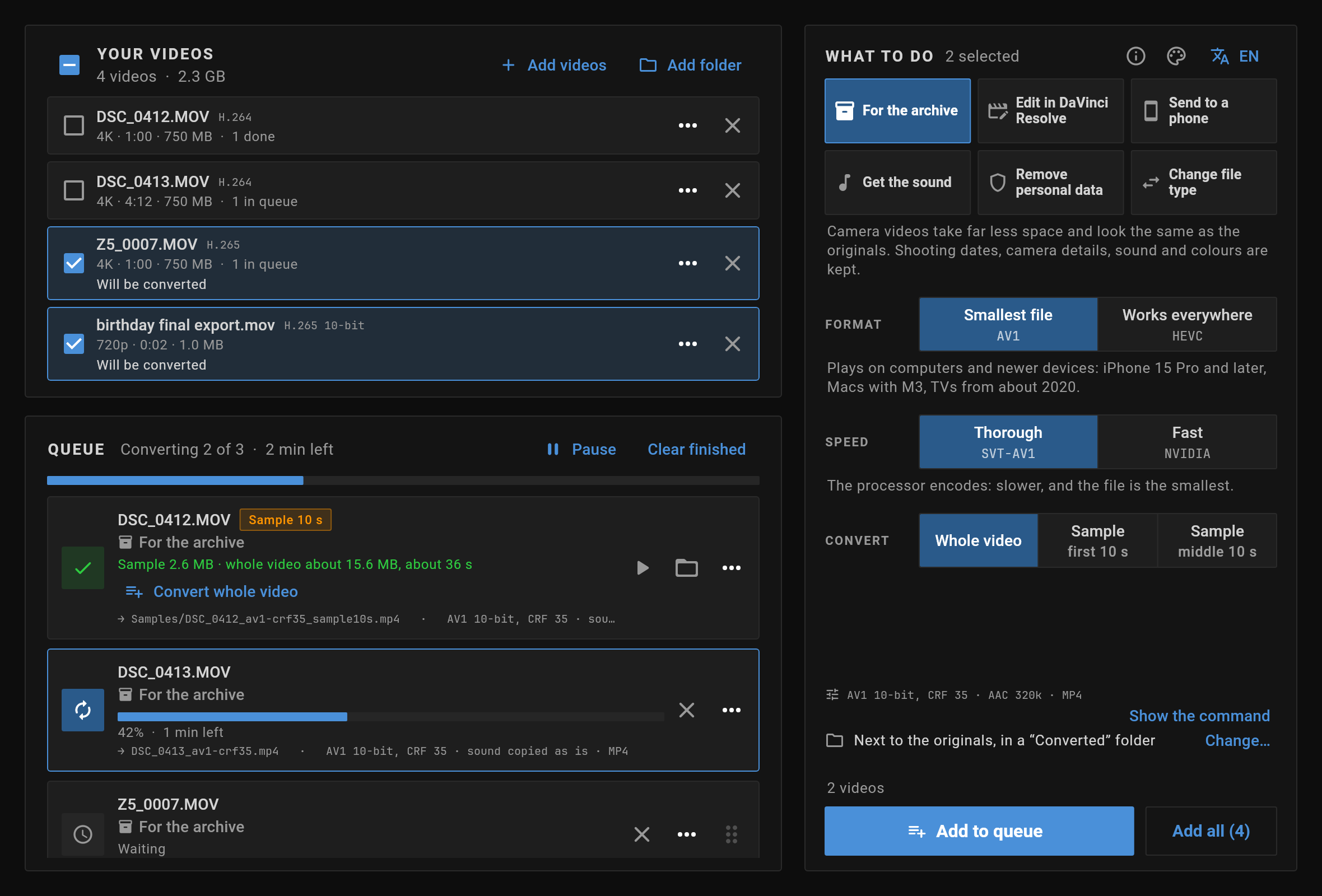
Plain words first, with the technical detail beside them in smaller type: “Smallest file” with “AV1” underneath.
Drop files or whole folders anywhere in the window. Your original files are never changed.
Choose a goal. The defaults need no thought, and each option says what it trades away.
The queue starts by itself, one video at a time. Pause, reorder, cancel or retry at any time.
Six everyday jobs. Each one looks at your file and does the least work that reaches the goal.
Turns camera videos into a master copy for keeping: the smallest file that still looks the same as the original, measured rather than guessed. Shooting dates, place, timecode and camera are kept.
AV1 or HEVC · XPSNR 42 dB+ How the quality was measured ↑Makes camera and screen recordings open with both picture and sound in Resolve on Linux, for Resolve Studio and for the free edition.
Linux · ProRes or DNxHR · PCM sound Shooting on Blackmagic? Control the camera with CamCtrl →A small file that plays on any phone and in messengers such as Telegram. HDR footage is adjusted to look right on ordinary screens.
H.264 · 720p or 1080pSaves the sound track as its own file: untouched by default, or converted to a common audio format.
As is · MP3 · M4A · WAV · FLACStrips place, date, camera and author information before you share a video. What is seen and heard stays the same.
Quick or thoroughMoves a video into another kind of file in seconds, without touching the picture quality.
MP4 · MKV · MOV · no re-encodingA file that is already fine is left alone. A file that only needs its sound converted is done in seconds, with the picture copied untouched.
It starts in a warm, light, rounded look. One click switches to the dark, flat, professional one shown above.
Where the size depends on the footage, short pieces are encoded in the background with the exact settings, so the estimate comes from your own video.
Free for Linux, Windows and macOS. FFmpeg is inside, so there is nothing else to install.
Latest release on GitHub
Open it and drag VidCtrl to Applications.
Download .dmg Windows x64Unpack it and run vidctrl.exe.
Unpack it and run vidctrl in the folder.
Windows: the app is not signed, so Windows asks before running it for the first time. When it says “Windows protected your PC”, click More info, then Run anyway.
macOS: the app is not notarized by Apple yet, so macOS refuses to open it. After dragging it to Applications, open Terminal and run this once; then VidCtrl opens like any other app:
xattr -dr com.apple.quarantine /Applications/VidCtrl.app
Early release: tested on Linux; the Windows and macOS builds are new. If something doesn't work, please report it on GitHub.
CamCtrl puts focus, exposure, color correction and recording on your phone or tablet, over your local network.